Build notesAI & hardware
A StackedFM device, designed in conversation.
I bought a touchscreen and asked AI to design the rest: a folded aluminium case, real parts, and the files a metal shop would need. Here’s how it went, and what’s still only on screen.

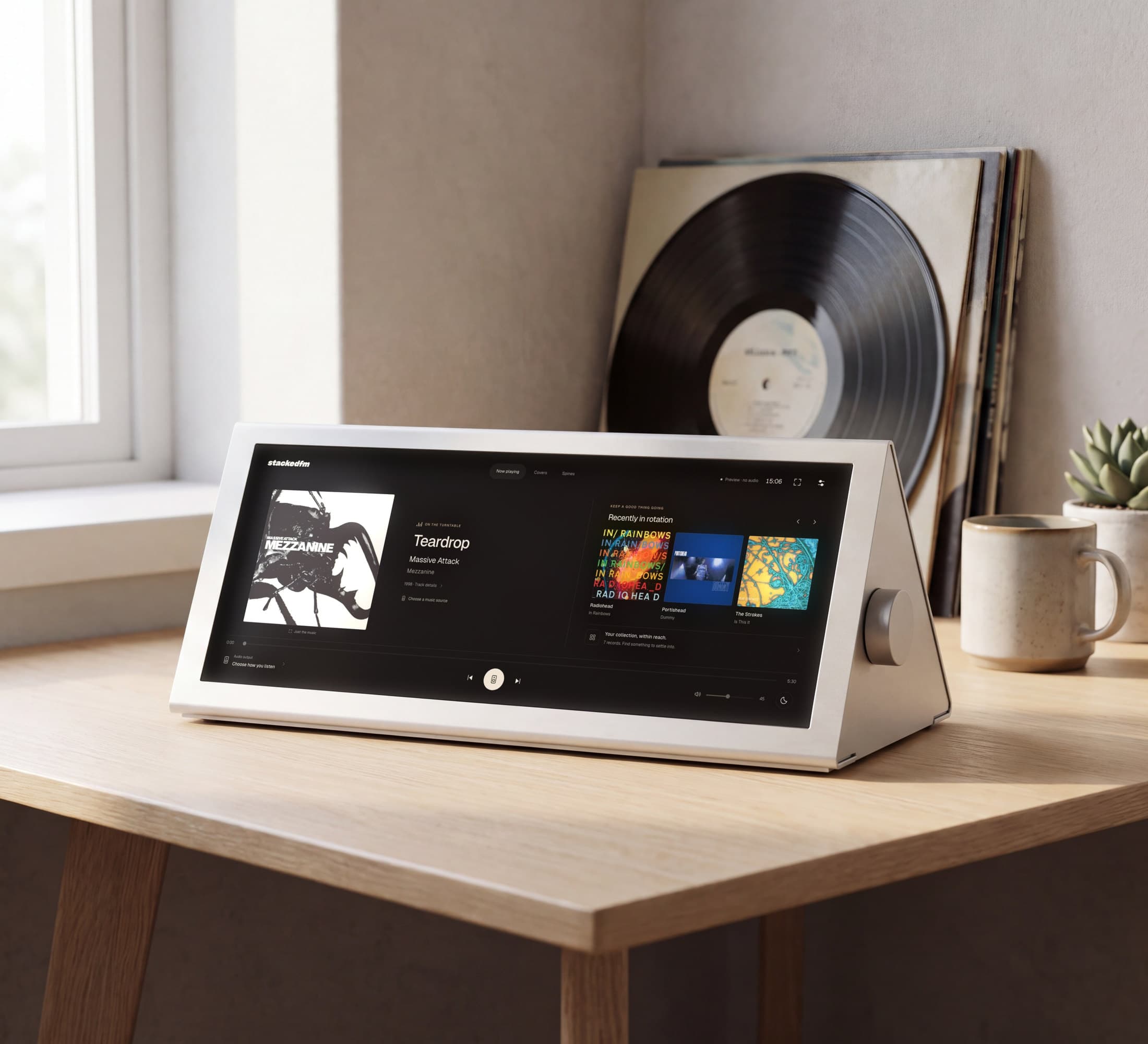
StackedFM hardware The whole design, in your browser.
I wanted listening to music to feel more intentional again. At one point I was thinking of buying a record player and starting a physical collection. I liked the idea of my music having a physical presence, but I couldn't commit to building another collection.
So I built StackedFM, a digital record shelf for my music library. I use Spotify for discovery and StackedFM for listening. I also built it to work beside a record player, as a little display showing what's playing.
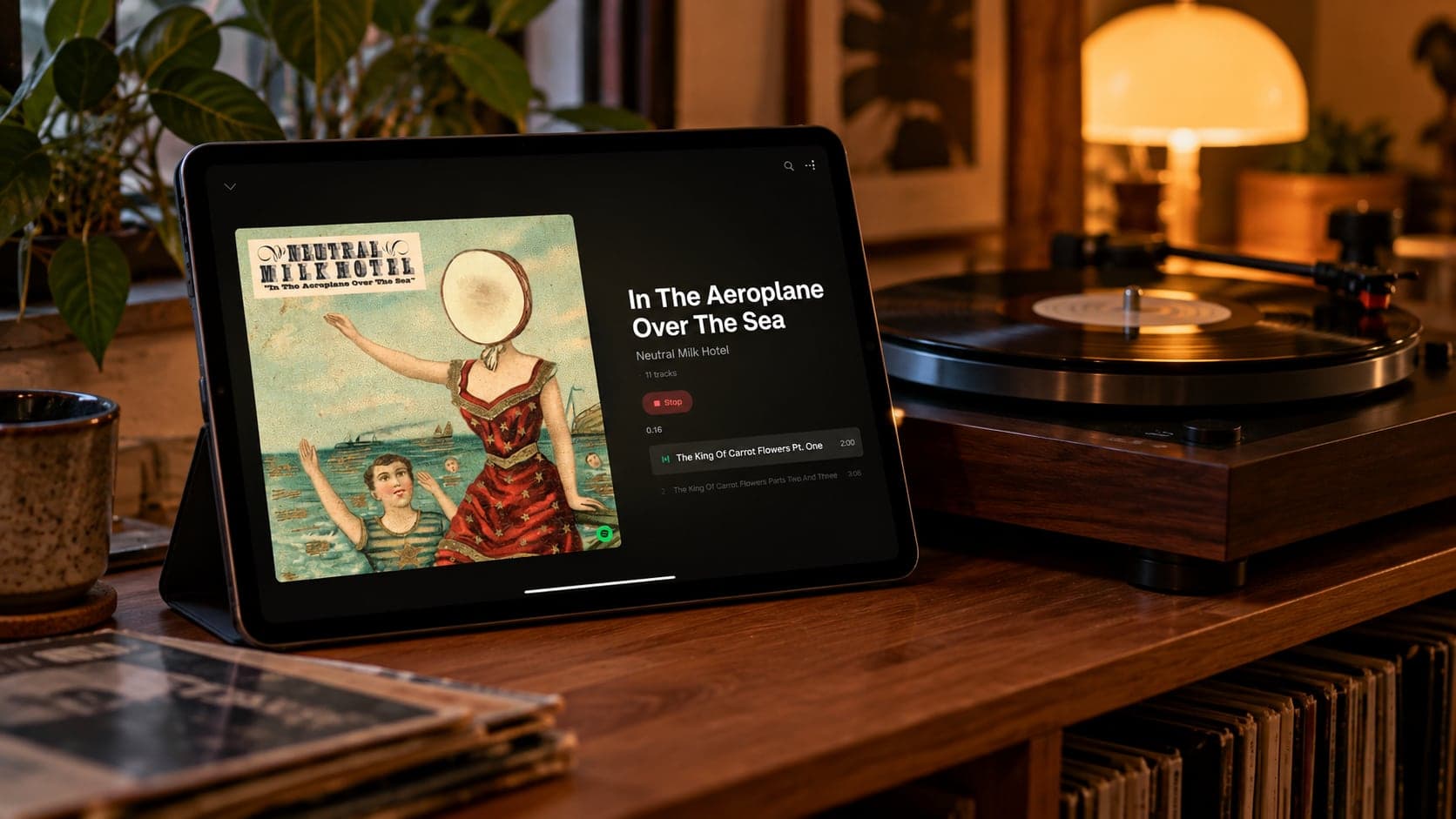
This autumn I wanted to take it off the screen and turn it into something that sits on my desk. I bought a 12.3-inch touchscreen and rebuilt StackedFM to run on it. Then I gave Claude Code one brief, and it designed the enclosure as code: real parts with prices, three versions, build steps and the files a metal shop would need. You can explore the whole design in your browser.
One thing first: so far, only the screen is real. Everything else here is a digital prototype.
Starting with a picture
I used image generation to brainstorm a few form factors and landed on a wedge: a long strip of album art in a folded metal case. It took some steering. I didn't want mugs with writing on them or silly posters. I wanted real posters that matched my taste in music, and someone touching the screen as if they were flicking through records.
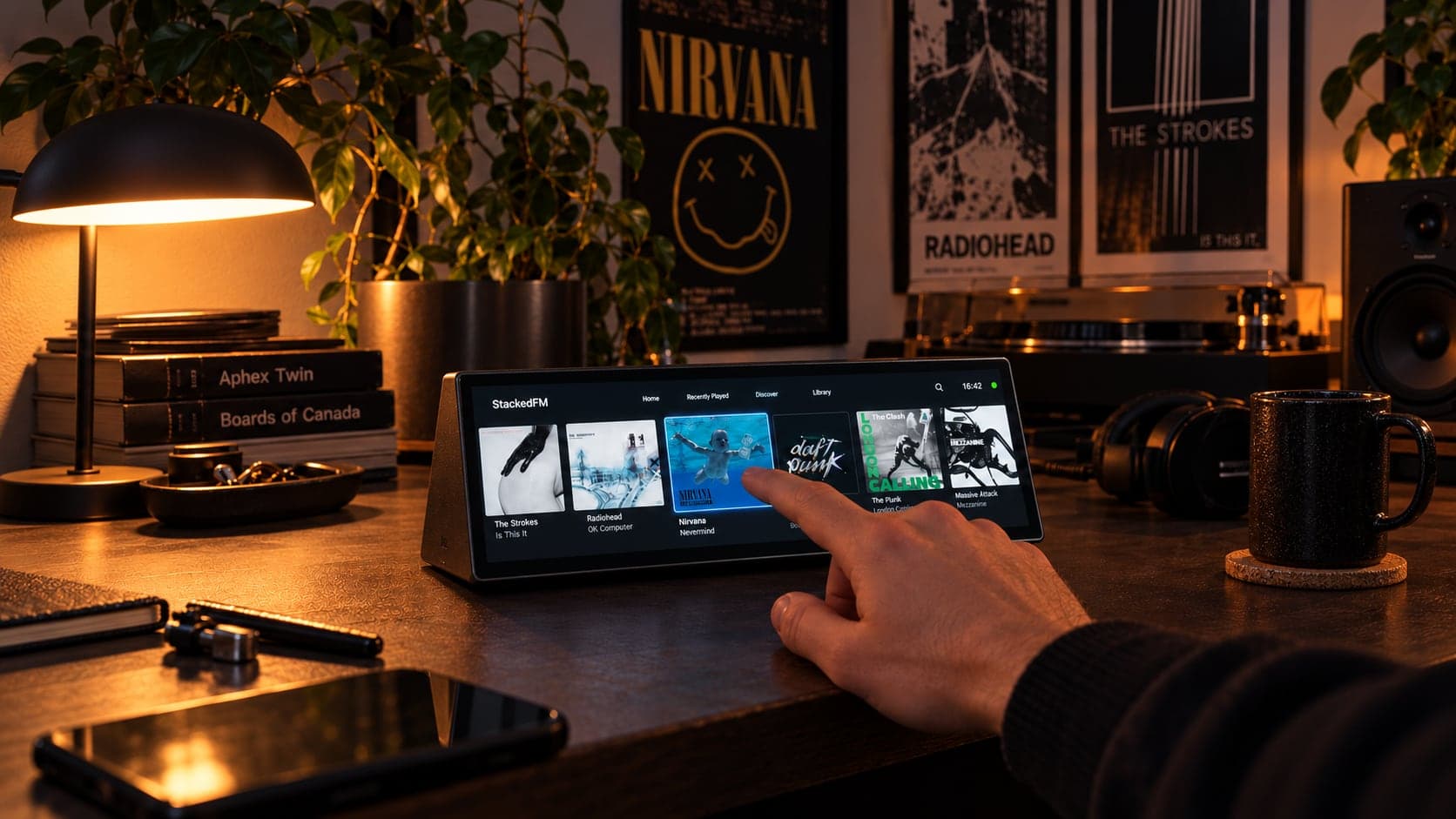
The screen
I bought a couple of capacitive touchscreens before landing on this one: a 12.3-inch, 1920 × 720 display from The Pi Hut. It's long and thin, which suits a row of album covers.
The day I bought it, I plugged it into my laptop as a second monitor and built StackedFM a new interface for it in Codex. My brief was short: beautiful, buttery, smooth interactions, very little UI, and something that felt more like listening to a record. I wanted an OLED-black background and a focus mode with nothing but the music.
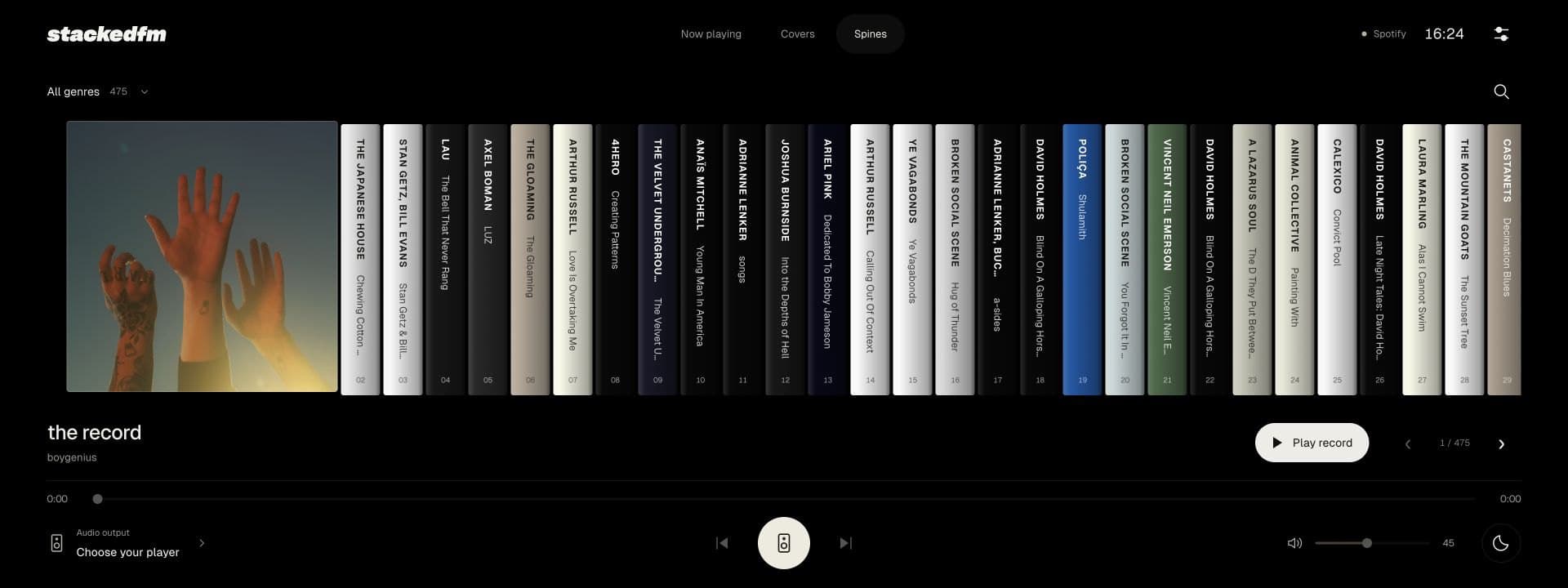
The same afternoon it was live at stackedfm.com/device, with all 475 albums in my collection on it. By the end of the day it had:
- large artwork and a swipeable shelf of records, in three views: Now playing, Covers and Spines;
- controls that fade away after a few seconds, and a pause button that never hides;
- a focus view when you tap the artwork;
- playback through Spotify, or from local files.
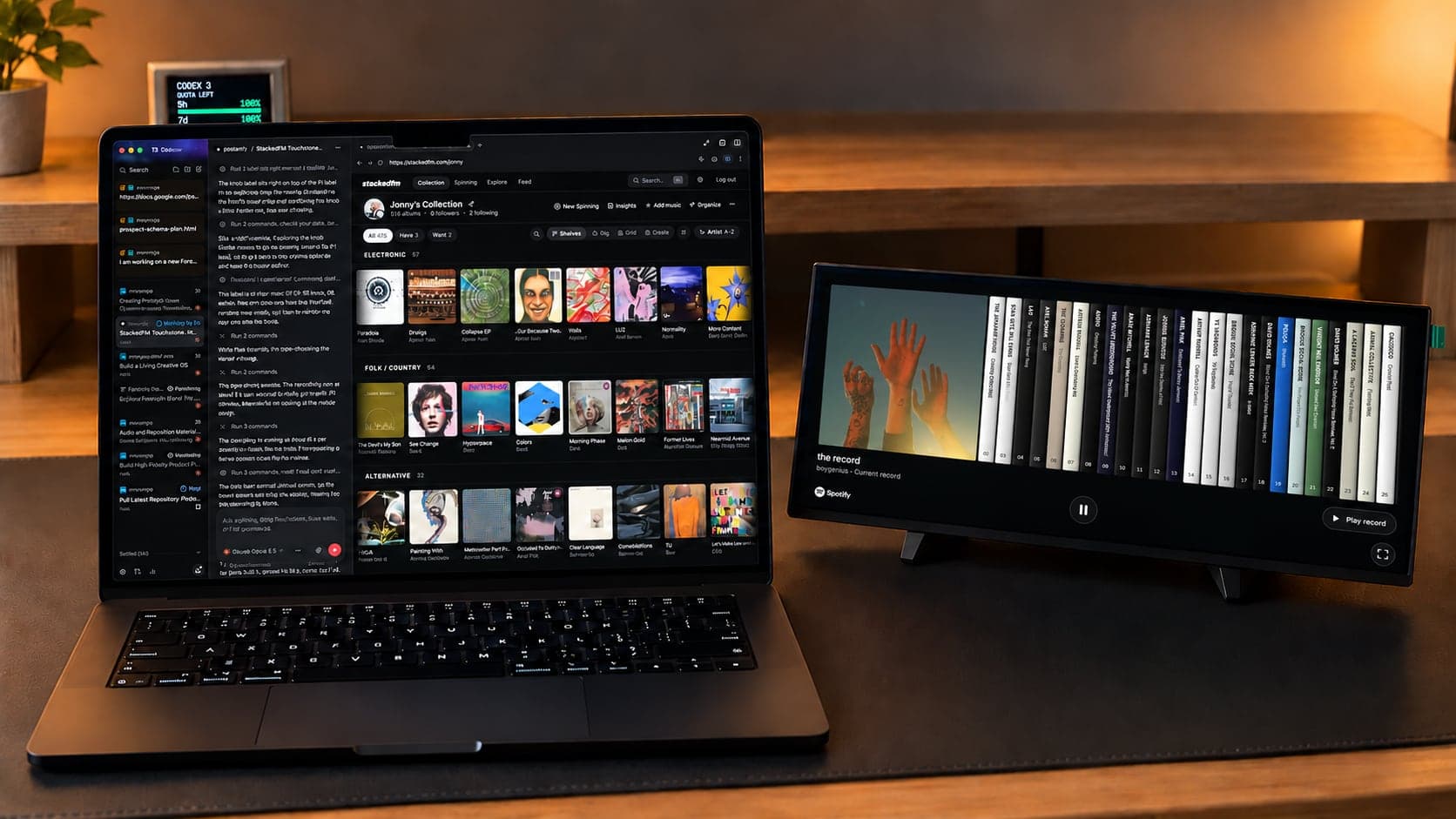
One brief
Two days later I opened Claude Code (Opus 5.5) and gave it one brief. I told it about the screen, that I planned to add a Raspberry Pi and build it into a little product, and that I was thinking of powder-coated, bent aluminium. I pasted in my brainstorm, attached the concept images, and linked to a post by David Plakon, who'd built a browser tool for a device of their own. I wanted something like that for StackedFM, and I told it we were aiming for an exceptionally high bar.
The first decision it made was the important one: what to model it in. I'd mentioned Blender. It chose build123d, a Python CAD library, and explained why:
Sheet metal has to be exact solids, because the shop unfolds the STEP with its own tooling. A mesh tool like Blender can't export a usable STEP.
Blender still makes the renders, but it never touches the geometry.
About two hours and twenty minutes after my first message, it reported back with a working workbench: three versions of the enclosure, each passing its checks.
What it designed
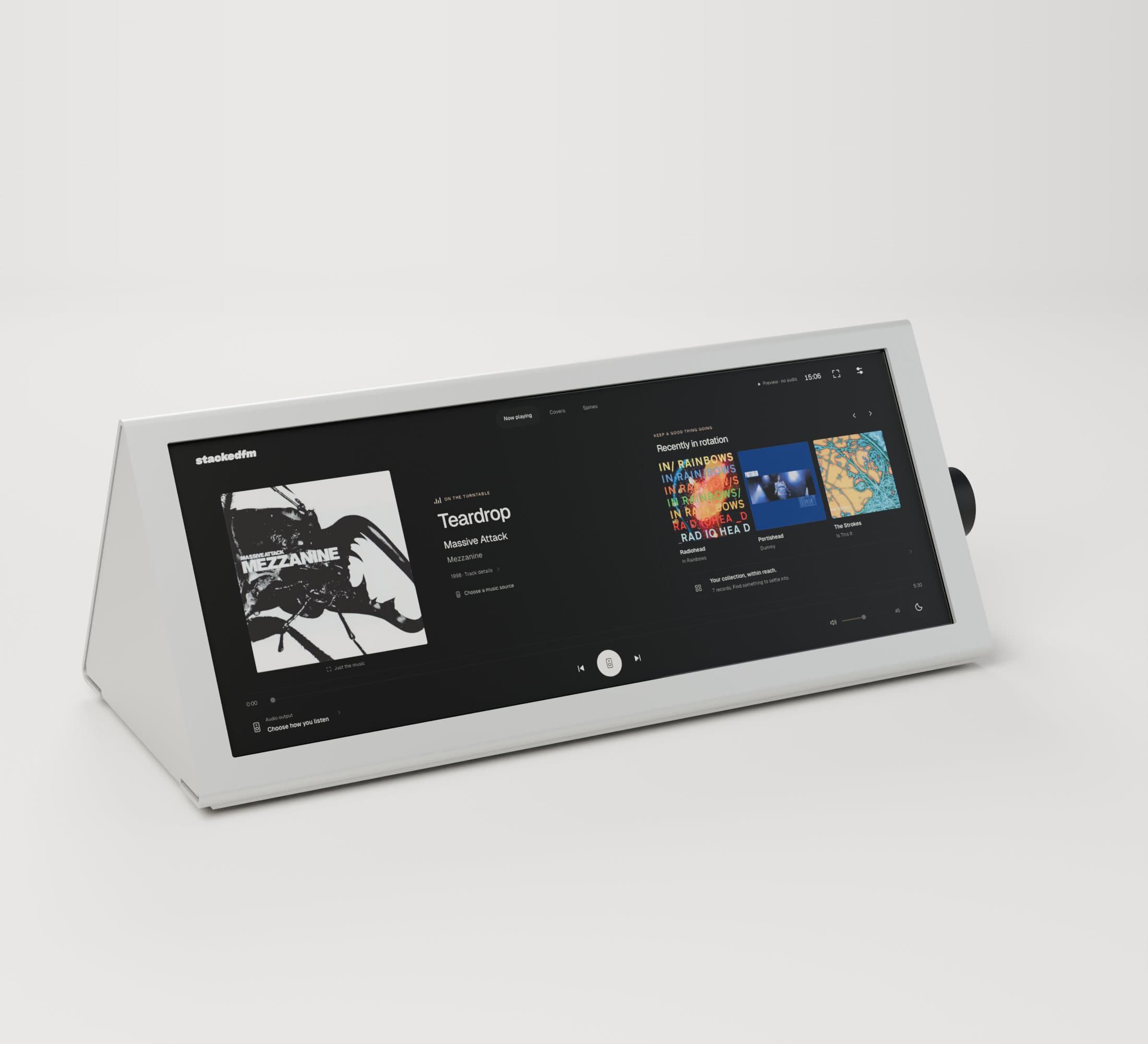
The enclosure is two parts in 2 mm aluminium. The cover is a tent, folded three or four times, so every visible edge is either a fold or a straight cut. The tray is a U that sits just inside it. Six countersunk screws come up through the floor into nuts pressed into the cover.
The window in the cover is the bezel. It's the screen's active area plus 0.75 mm on each side, with the glass bonded behind it.
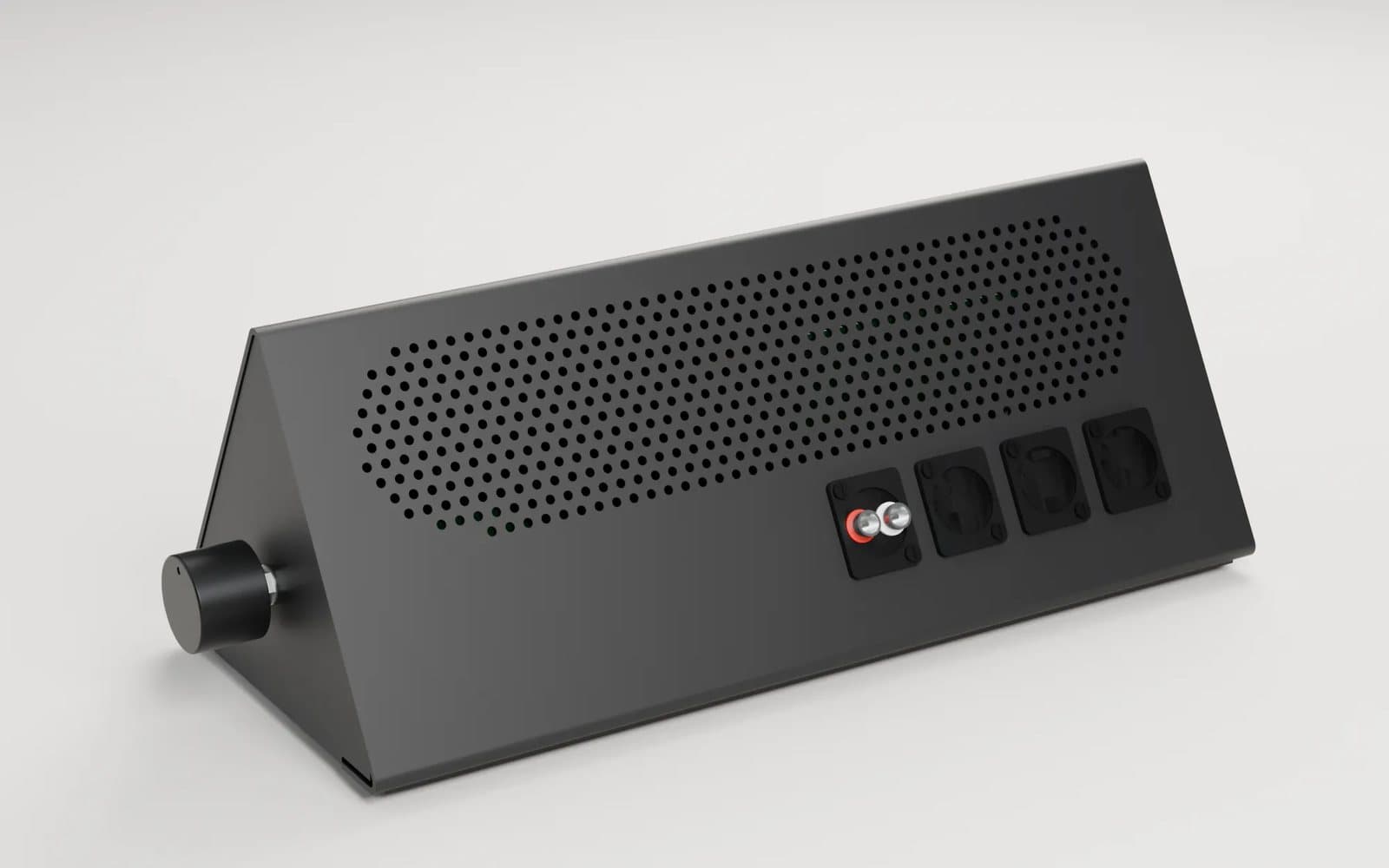
Inside, a Raspberry Pi 5 sits on an NVMe board, with a DAC on top for the audio. Air comes in through holes in the floor and leaves through a hex grid high on the back. The rear connectors use standard Neutrik D-size cut-outs, so the inserts can change without recutting the metal.
There are three versions. All of them are 322 mm wide, or 349 mm with the knob:
| Version | Screen angle | Depth × height |
|---|---|---|
| Prism | 60°, the reference design | 137 × 125 mm |
| Desk | 52°, for looking down at a desk | 151 × 117 mm |
| Shelf | 70°, for a shelf at eye height | 137 × 135 mm |
Each comes in six powder-coat colours. The parts list has prices and where to buy them. The priced parts come to £415.73 including VAT, at 5 October prices. That doesn't include the metalwork, and nine lines aren't priced yet.
CAD as code
Everything comes from one Python file of measurements. Change a number, run the build, and about two minutes later you have:
- STEP files of the formed parts, for the shop;
- DXF flat patterns with the cut lines and every bend's angle and direction;
- a 3D model for the browser;
- a report from the checks.
The flat patterns and the folded parts come from the same model, so the two can't drift apart. In all, it's about 2,600 lines of Python.
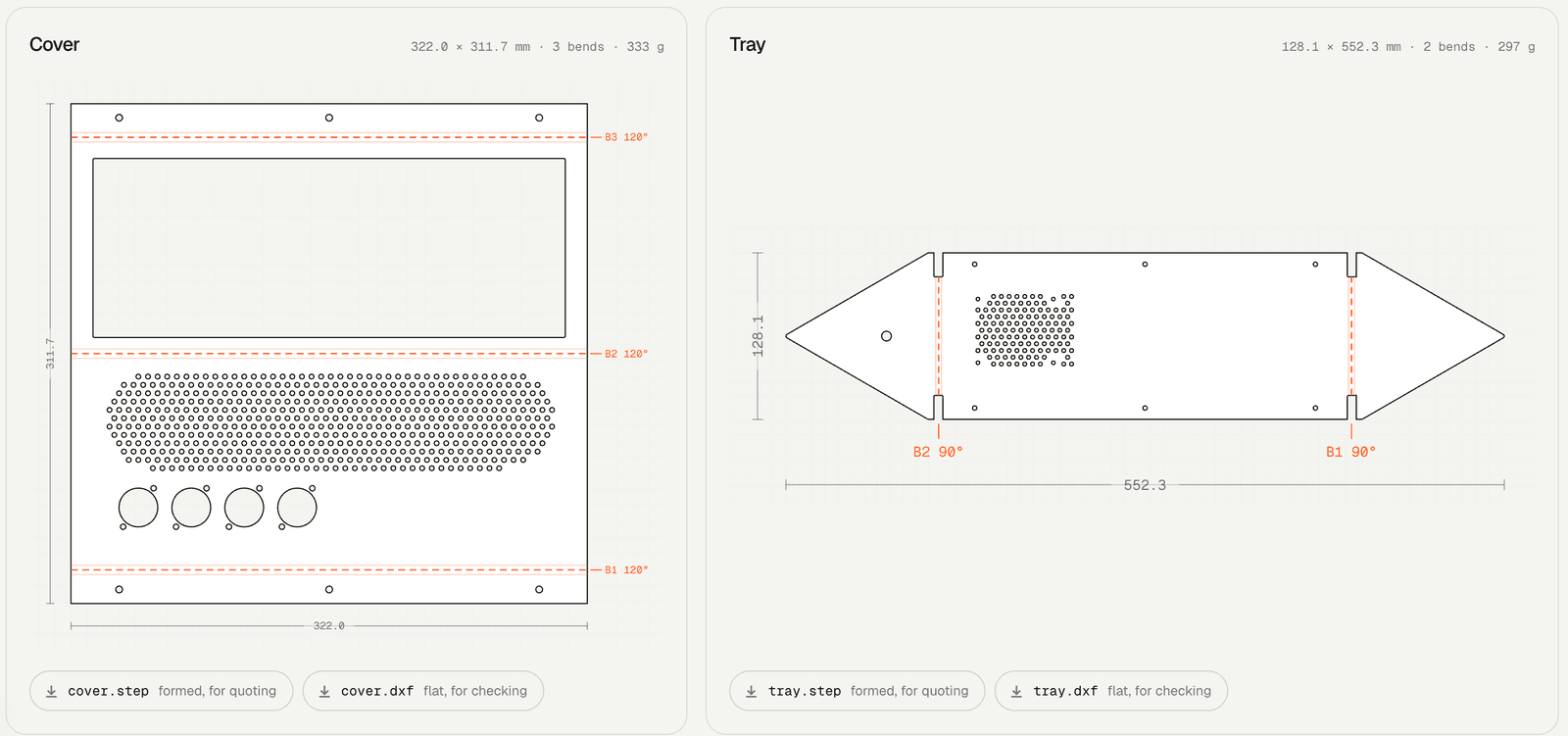
Every build runs 13 checks on each version: published sheet-metal rules, minimum web widths, symmetry, clearances, room for cables, and whether any of the 24 parts overlap. All three versions pass.
The symmetry check exists because of a bug. At one point a whole wall of the tray went missing, and every existing check still passed. The fix came with a new check, so it can't slip through again.
One sentence, one knob
The next day I asked for one change: a volume knob on the right-hand side of the device, not on the front.
Top-mounted controls are common because they're ambidextrous, easy to find and easy to reach from different angles. But I'm right-handed, so I can put the volume on the right. It feels more natural to me and keeps the top clean.
That one sentence meant:
- adding a push-button encoder and a knob, wired to the Pi;
- moving the Pi and its boards 17.5 mm, because the knob would have hit them;
- re-solving all three versions and running the checks again;
- adding the new parts to the parts list;
- re-rendering the images and re-recording the tour video on exactly the same timeline.
The workbench
The page it built is how I explore all of this. You can turn the model around, pull it apart with a slider, or step through the build one stage at a time. You can cut a section through it, see inside, click any part for its price, and switch between versions and colours. The flat drawings, check results and STEP and DXF files are all there too.
In the original, the 3D screen runs the real device software, and you can tap it. The copy on this site shows stills of the three views instead.
I also wanted a video of it for my talk at Impromptu Belfast. The agent recorded this tour itself, clicking and scrolling through the page in a headless browser.
You can open the workbench here.
What's real and what isn't
The screen is real, and so is the software. It's live at stackedfm.com/device, and it plays music through Spotify.
Everything else is a design. The enclosure hasn't been quoted or made, and the software hasn't run on a Pi yet, so I don't know how smooth it'll be, or how it handles speakers, heat or a long listening session.
Before ordering anything, I'd need to check:
- that a shop can make the bends, which go up to 128°;
- the part numbers for the rear connectors;
- a few estimates, like where the DAC's sockets sit and how much the metal stretches in a bend;
- how much power the screen draws.
There's a bigger question too. In my talk I said I don't have to worry about the company behind it going under and the device becoming an expensive paperweight, because I pay for the server. That's true of StackedFM, but it still plays music through Spotify. If I ever made these for other people, they'd need Spotify's approval, and I haven't applied for it.
From vibe coding to vibe manufacturing
This used to take a team. Now it's a conversation. Across two days I sent about a dozen messages. The agent chose the tools, found the parts, wrote the CAD, checked it and built the page.
I think we're moving from vibe coding to vibe manufacturing, where more of us can design physical things around our own needs. For a little more than you'd pay for a device like this, you could build one yourself and have a conversation piece in your room.
The next step is the physical one: a Pi, a few boards and some folded aluminium.
Thanks for reading.
Back to all notesI led the work, and AI helped along the way. Badge by AI Honesty Badge.