Build notesAI & 3D
A room for my books.
I rebuilt a corner of my office from 14 photos, put it in the browser and gave it a voice that finds books on my real shelves. How it came together, what’s real, and why next time I’d scan the room first.

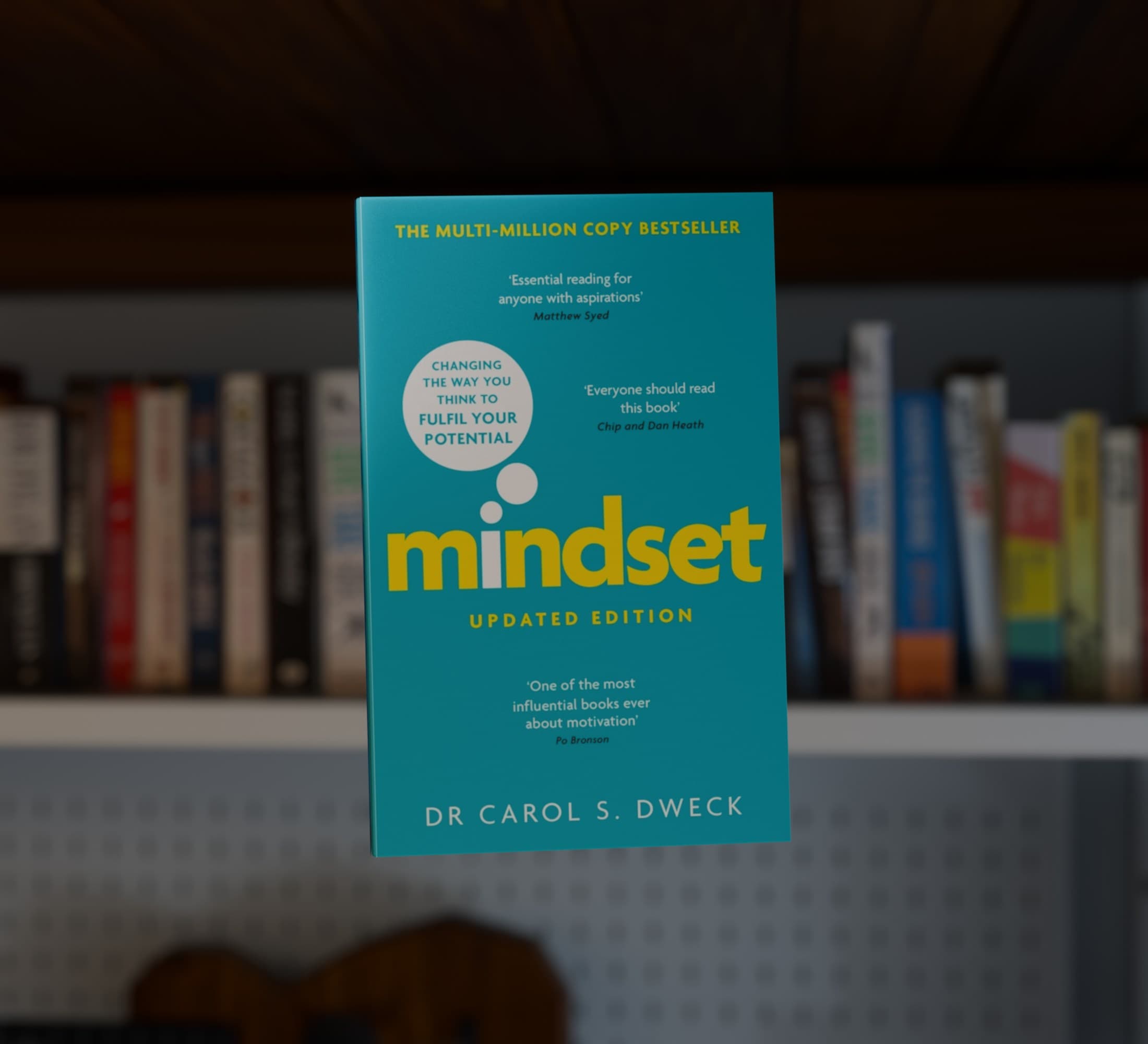
At my talk at Impromptu Belfast, I showed a corner of my office, rebuilt in 3D and running in a browser. I asked it out loud for a book, and the book slid off its shelf and turned to show me its cover. It's a book I own, on the shelf where it sits in the real room.
I built the room from 14 photos I'd taken on my phone, over a few days in September, in conversation with Codex. This note is about how that went, what's real and what isn't, and what I'd do differently. The short version: I wouldn't build a room from ordinary photos again.
Why I built it
It started with a slightly grand question: what if my life had an API? Here's how I put it in my talk notes, lightly edited:
What if I could make my life understandable to the things I'm building? What could I do with a connected personal knowledge layer?
So I started a folder called knowledge, for the things I own, my life admin and the projects I'm working on. Books were the obvious place to start. I own a few hundred, and they have properties beyond a title and an author: how long they are, whether I've read them, and where they sit in the room.
That last one is what got me. A list of books is a spreadsheet. A list that knows where each book lives could go and show it to you.
I also had an interface in mind, from the film Her: mostly voice, with very little on the screen. So I called the prototype Her.
A catalogue first
In early September I photographed my shelves, 38 photos in all, and had AI read the spines into a catalogue. The first pass found 281 books. It had missed a whole shelf, which I didn't notice until later, and a second pass took it to 342 books, plus 27 board games.
Each record has a title, an author, the shelf it's on, how sure the match is and the photo it came from. It doesn't record which edition I own, or whether I've read it. Both of those matter later.
A heavier shelf
First I built a page to search and filter them. Then I borrowed an idea from StackedFM, which shows my records as a shelf of spines: every book became a spine on one long shelf, and longer books got wider, so they have more presence.
It only half works so far. The width comes from the page count, and only 12 books have one yet. The rest wait at a standard width.
One brief, then a film
Before building anything bigger, I wanted to know what it would feel like. On 17 September I dictated a brief to Codex and attached the 14 photos of the room. Here's part of it, edited:
Think of the film Her: the interface is voice, and the screen carries almost no UI, perhaps just particles. I ask whether there's a book on my shelves I should read, and the particles resolve into my room. The camera finds the book on its shelf, and the book slides out and turns to show its cover. Is this a job for photographs, or for Blender? It doesn't need to work. It's a product demo, for the feeling.
Codex suggested Blender: project my photos onto simple shapes to give them depth, and model only the book that moves. AI video tools could help explore the mood, it said, but not when the lettering and the identity of the book have to be exactly right.
I said "do that". A few minutes later I raised the bar: it needed to be "almost Apple level". About 25 minutes after that, I had a ten-second test.
The shelf is my photo. The book is a model, and its cover is the publisher's image, not a photo of my copy.
Building the room
The test was good enough that I wanted the whole room, so Codex rebuilt it in Blender as real 3D objects: walls, sofa, shelves, a pegboard, a lamp and 323 separate books. When someone asked me whether I'd scanned it, here's what I said, lightly edited:
No scanning, just photos of the room. I didn't intend to end up building it, to be honest. Things just escalated.
Early on, the agent told me something I should have listened to. My photos would give it the likeness, but "dimensions and unseen surfaces will initially be estimates". For a version you could move around freely, "a measured room plan and a slow, overlapping photographic walkthrough would help us reproduce it much more accurately." I replied: "We don't need a freely explorable version." At that point it was still a film.
The first room took about 35 minutes. My first note was about the rug: bigger, and a different colour, because "that green is very studenty".
Making it real
Then I asked: "So, how would we actually make this real now?"
That night it started joining the room to the catalogue, and moving it from Blender into the browser, with three.js. The lighting is worked out in Blender and baked into the textures, so the browser only has to draw it.
For the voice, I asked for OpenAI's latest live voice model, which is GPT-Live 1. It holds the conversation. When I ask for a book, it hands the request to a smaller model, GPT-4.1 mini, which can only answer with IDs from my catalogue, so it can't pick a book I don't own. Its instructions include: "Never invent ownership, passages or reading history."
The room then finds that book on its shelf, the camera moves to it, and the book comes forward. "Put it back" puts it back.
Round after round
The first browser version looked nothing like the film.
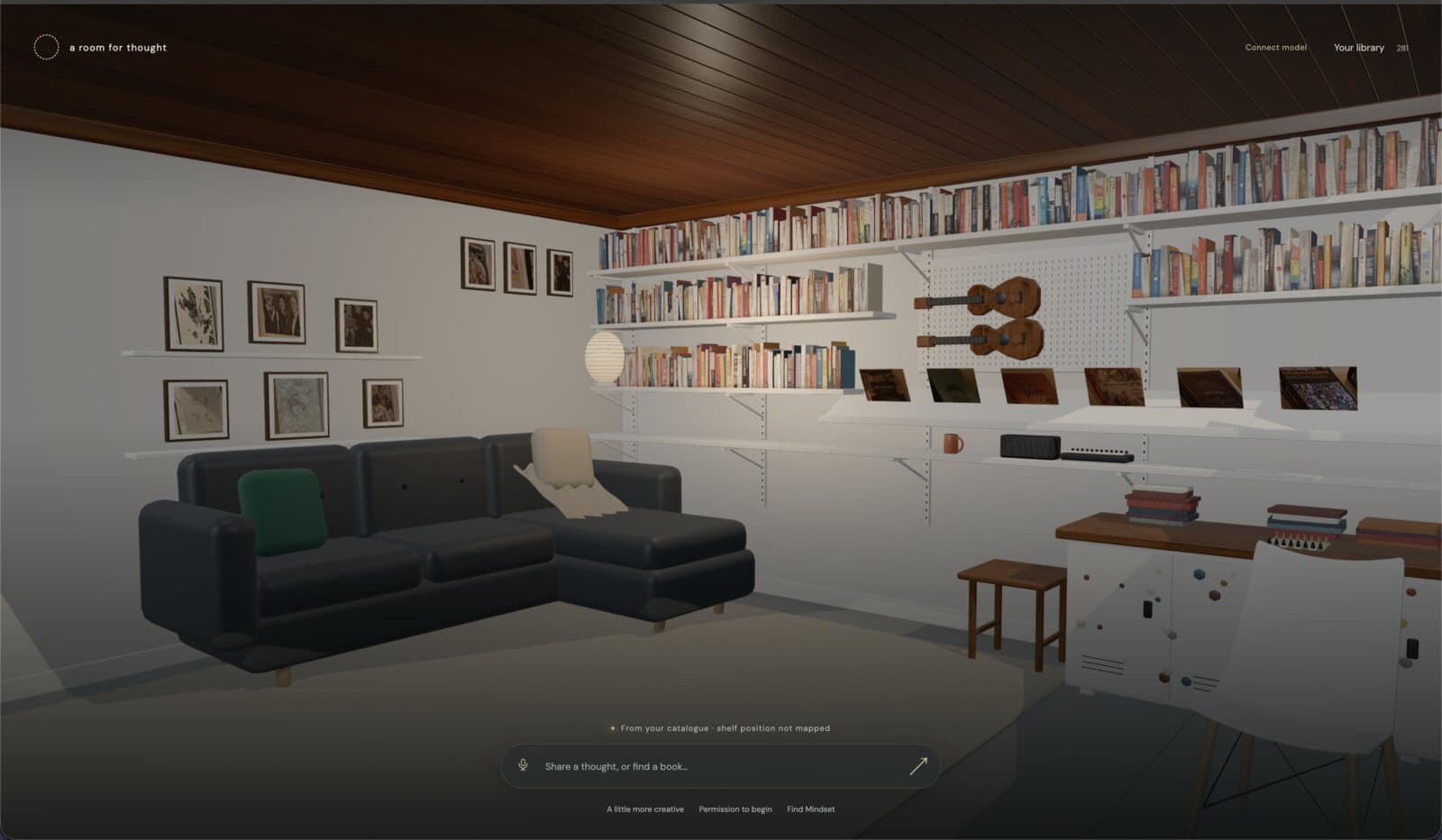
Most of the next day went on corrections. Some were about the feel:
- the light was "still nowhere near the video render";
- the ceiling was "way too dark. It looks like mahogany, not the light pine that was in the photographs";
- the particles on the first screen were too controlled, and I wanted them "more organic";
- the text box and labels went, leaving a single mic button.
But more of them were about the shape of the room: things the agent had guessed from my photos and got wrong.
- The shelves are plywood, not white, and one of them runs all the way to the pegboard.
- The brackets join the uprights everywhere.
- The pegboard overlaps the uprights and slots into their holes. That took two attempts.
- The end of the sofa is longer. That took two attempts too, and the sofa looked "like a low poly video game" until it got proper upholstery.
- The pictures sit on three staggered ledges, not two.
- The ukuleles came down.
Some changes were choices rather than fixes. I took out a throw, and moved a small table in front of the sofa, where it isn't in real life. Two days before the talk, I found books hovering at an angle above the display ledge, and had them set down properly.
Every one of those was a round trip: a screenshot, a sentence from me, and a new estimate from the agent.
Every book in its place
Two days in, the room had 323 books, but only 13 of them knew which book they were. The rest were scenery. So I asked: "Why are there only 13 mapped book reveals?"
I gave it four more photos of the shelves, overlapping, and it matched books in the catalogue to a shelf and a place in the row. It also found covers: a published cover for 325 of the 342 books, matched by title and author. Looking through them, I noticed what was missing: no web standards book, and hardly any of my programming, CSS or design books. That was the shelf the first pass had missed.
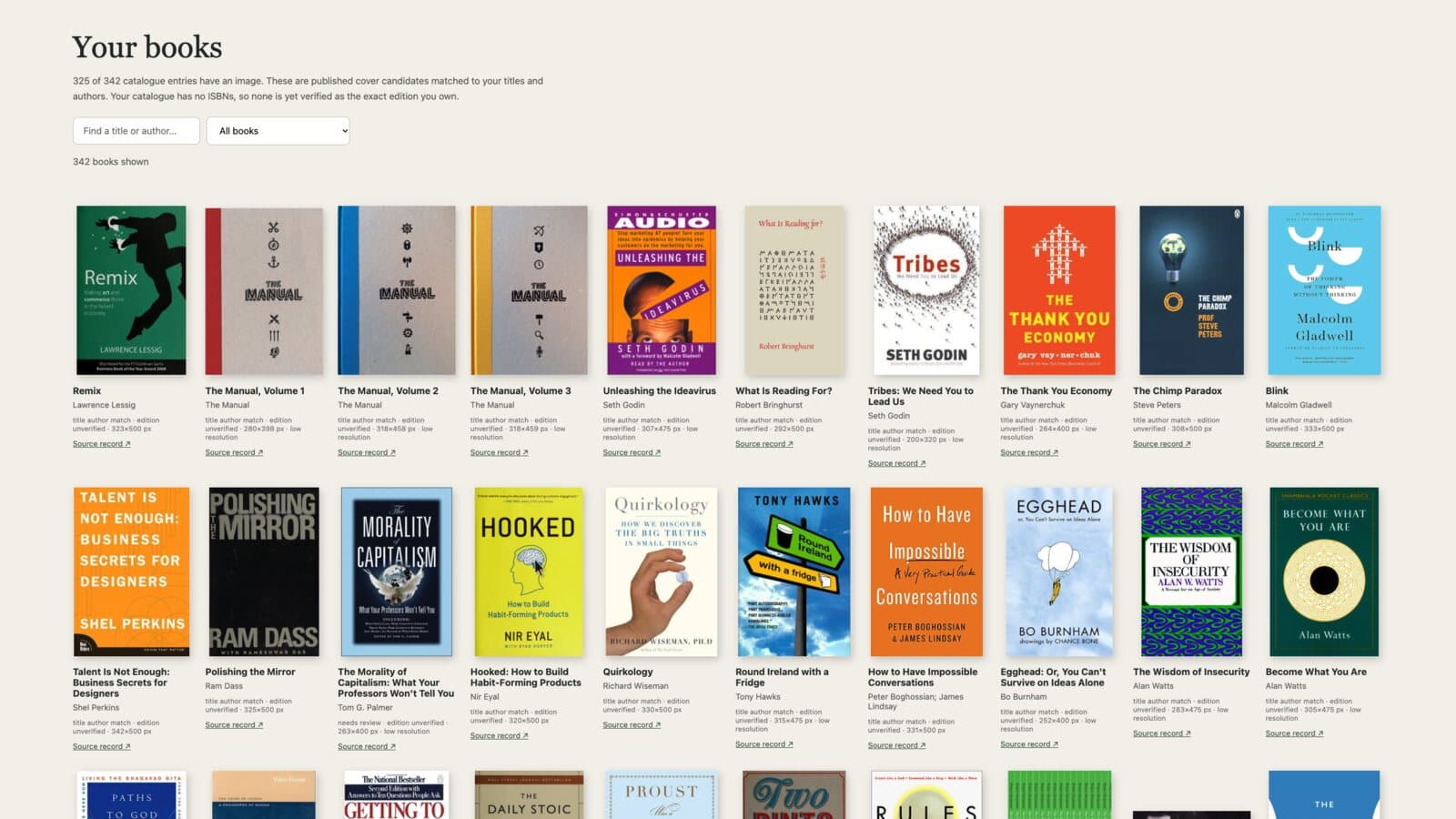
Now all 342 books are in the room: 171 on the top shelf, 116 across the two middle shelves, 36 in the lower row, 8 on the display ledge and 11 in stacks on the desk. Each one sits on the right shelf, in the order it appears in my photos. Nothing was measured, so each book's exact spot is an estimate.
Talking to it
I recorded this the night before the talk, in case the live demo went wrong.
I ask for "Mindset by Carol someone", and it finds Carol S. Dweck's Mindset. I tell it I'm going to Donegal at the weekend, and it brings out two books of mine: The Walker's Guide to Outdoor Clues and Signs and Lonely Planet's Epic Hikes of Europe. Then I ask for something I haven't read yet, and it suggests The Daily Stoic and Contagious, as books I "might like". That's the honest answer, because it doesn't know what I've read. The catalogue doesn't record it yet.
What I said in the talk still stands: there's no smoke and mirrors. It's the working thing, with my real books.
What's real and what isn't
Real:
- the catalogue, read from photos of my own shelves;
- the conversation, and the picking, which only ever chooses books I own;
- the layout of the room, from my photos.
Not real, or not yet:
- the measurements. The room, the furniture and the books are all estimated from photos;
- the spines in the browser, which are labels coloured from each cover, not my copies' spines;
- the wood, fabric and concrete, which are stock textures from Poly Haven, not scans of my things;
- some covers, which will be a different edition from mine. Three books are still uncertain identifications;
- reading history, and most of the page counts;
- a public version. It runs on my laptop, the room is about 97 MB, and it isn't built for phones.
What I'd do differently
This note started as a brief I dictated. Here's part of it, edited:
Next time, I wouldn't rely on photographs alone. I'd scan the room first, with LiDAR or an app like Polycam, so the model starts from real measurements instead of guesses.
Looking back, the photos were the weak point. I took 14 of them for a ten-second film, and they ended up carrying a whole room. A photo shows what something looks like, not how big it is, so every length in the room was a guess, and most of my corrections replaced one guess with another. The agent told me on the first night. I'd have saved a day by capturing the room properly before anyone modelled it.
Here's what capture can do now.
LiDAR. Pro iPhones and iPad Pros have a LiDAR scanner, which measures depth directly. A 2021 study of the iPhone 12 Pro found it measured objects bigger than about 10 cm to within a centimetre, but couldn't pick out anything much smaller than 5 cm. That's fine for walls, a sofa or the length of a shelf. It isn't enough for a book spine or the edge of a plywood shelf.
RoomPlan. Apple's RoomPlan uses LiDAR to make a 3D floor plan, "including key characteristics such as dimensions and types of furniture". You get walls, doors and windows, with furniture as labelled boxes. My sofa would be a box, but a box of the right size in the right place, which is more than I had.
Polycam. Polycam does LiDAR room scans, photogrammetry and Gaussian splats in one app. The free plan is limited and exports GLTF. Basic, at $150 a year, makes scans and splats unlimited. Floor plans need Business, at $400 a year per user.
Scaniverse. Scaniverse, from Niantic Spatial, is free and makes Gaussian splats on the phone itself. It exports SPZ, PLY, GLB and FBX.
RealityScan. Epic's desktop photogrammetry tool, which used to be called RealityCapture, builds textured meshes from hundreds of photos, and can take laser scans too. It's free if you earn under $1 million a year.
Luma. Luma was a popular choice for this a couple of years ago, but the company has moved on to generative video, and its capture app was last updated in January.
Splats in the browser. A Gaussian splat stores a scene as millions of small, soft, coloured blobs, and it looks like a photo from almost any angle. Spark draws them in three.js, and can "fuse splat and mesh-based objects" in one scene. Compressed formats like SPZ and SOG make them small enough to load, and Khronos has ratified a glTF extension for them.
None of these gets you my room on its own.
A splat would look far more like my office than my Blender room does. But it's one cloud of blobs. A book isn't an object in it, so it can't slide out, and if you pull it out you leave a hole or a ghost behind. Splitting a splat into objects is still research: Carveout does it with Meta's SAM 3, on a big desktop graphics card, and isn't maintained. In SuperSplat, you select and cut by hand.
LiDAR gets the size of the room right, but not the books. RoomPlan gets the layout right, but as boxes. Photogrammetry gets the surfaces, but as one mesh, with soft edges where the shelves are thin.
What I'd try next
So next time I'd use each one for what it's good at:
- Measure the room. One LiDAR scan, in Polycam's Space mode or a RoomPlan app, for the walls, the furniture and the length of every shelf.
- Capture the look. A slow, overlapping walkthrough, a few hundred photos or a video, made into a splat in Scaniverse or Polycam, or a textured mesh in RealityScan.
- Make the books. The shelves as simple boxes at their scanned size. A straight-on photo of each shelf, flattened and scaled to the scanned length, then cut into 342 spines, so every book is still its own object, tied to the catalogue.
- Put them together. Cut the shelves out of the splat, so a book that slides out doesn't leave a copy of itself behind, and draw the splat and the books together with Spark.
I haven't tried any of it yet. This version started with 14 photos. The next one starts with a scan.